

If wp_woocommerce_sessions is the largest table in your WooCommerce database, the problem is almost never the sessions themselves. It is that the job which deletes the expired ones has stopped running.
WooCommerce has reported cases of this table reaching 5.5GB on a single store. That is not a busy shop. That is a cleanup event that quietly went missing.
What Is the wp_woocommerce_sessions Table?
It stores customer session data: what is in the cart, what has been entered at checkout, and the other state that has to survive between page loads for someone who is not logged in. Every visitor who touches a cart gets a row.
That is normal and healthy. Sessions are meant to be short lived, and WooCommerce schedules an event called woocommerce_cleanup_sessions to purge the expired ones on a recurring basis. When that event runs, the table stays roughly proportional to your live traffic.
Why It Grows to Gigabytes
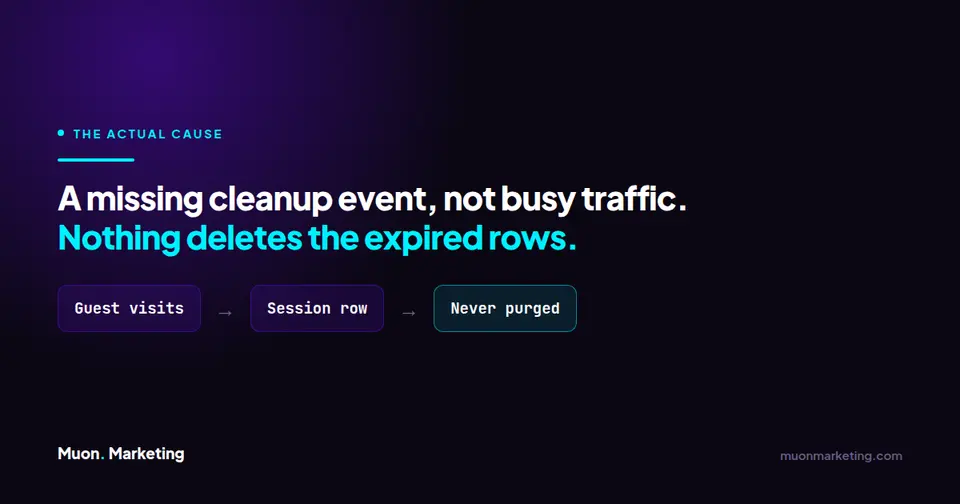
When woocommerce_cleanup_sessions is not registered, nothing deletes anything. Expired sessions simply accumulate, forever, and the table grows at the rate of your guest traffic with no ceiling.
In WooCommerce issue 26181 the reporter found the event absent from both the cron events list and the scheduled actions list. Their sessions table had reached roughly 5,289MB of data plus 276MB of indexes. The issue does not pin down a single cause for the event vanishing, so treat it as something to check rather than something to explain.
This is the same machinery that runs the rest of your background work. If scheduled actions have stopped on your store, this table is one of the places you will see the bill. The usual root cause is the scheduler itself: why WP-Cron stops running and how to fix it properly.
How to Check Whether Cleanup Is Actually Running
- Go to WooCommerce, then Status, then Scheduled Actions and search for
woocommerce_cleanup_sessions. You want to see it listed with a future run time. - If it is not there, check your WP-Cron events as well. The event can be missing from both, which is what the GitHub reporter found.
- While you are there, look at whether anything is running on schedule. A store where one event is missing often has a wider cron problem, not a WooCommerce problem.
- Check the table size directly in phpMyAdmin or your host database tool, so you have a number to compare against after the fix.
How to Fix It
| Situation | What to do | Watch out for |
|---|---|---|
| Event is scheduled and running | Nothing. The table size is legitimate for your traffic. | Do not truncate a working sessions table. You will log out every guest mid-checkout. |
| Event is missing | Re-register it. Deactivating and reactivating WooCommerce is the usual route. | On a live store this drops sessions and can interrupt active checkouts. Do it at your quietest hour. |
| Cron is broken site-wide | Fix cron first. Re-registering one event on a store where nothing runs solves nothing. | A real server cron replacing WP-Cron is the durable fix on a busy store. |
| Table is huge and cleanup now works | Let it drain, or delete only expired rows after a backup. | Never delete every row. Expired is not the same as all. |

Should You Truncate It?
No, and this is the same trap as the Action Scheduler queue. A session row is not history. It is the live state of somebody who may be halfway through checkout right now.
Truncate the table and every guest cart on your store empties at once. On a busy shop that is lost orders, not a tidy database. If you need space back urgently, delete rows whose session expiry has already passed and leave the rest alone. Back up first.
Not sure which table is your problem? Start with how to find the one table slowing your WordPress database, which covers all of them and the question to ask before deleting anything.
Related Database Tables
If scheduled work has stopped on your store, sessions are rarely the only symptom. The queue itself is worth checking: see why wp_actionscheduler_actions gets huge and how to clean it up. For non-WooCommerce sites, the usual large tables are Wordfence logs, covered in wp_wfHits and wffilemods, and the Yoast cache in wp_yoast_indexable.
The rule across all of them holds here too. Work out whether a table is a log, a cache, or live state before you delete anything. Sessions are live state, which makes them the least forgiving of the four.
wp_woocommerce_sessions FAQs
What is the wp_woocommerce_sessions table?
It stores WooCommerce customer session data, including cart contents and checkout state for visitors who are not logged in. Every visitor who interacts with a cart creates a row, and the rows are meant to be deleted once they expire.
Why is my wp_woocommerce_sessions table so large?
Almost always because the scheduled event woocommerce_cleanup_sessions is not running. When it is missing, expired sessions are never deleted and the table grows without limit. WooCommerce has a reported case of the table reaching roughly 5.5GB on a single store.
Can I truncate the wp_woocommerce_sessions table?
You should not. Unlike a log table it holds live state, so emptying it clears every guest cart on the store at once, including customers who are partway through checkout. Delete only rows that have already expired, after taking a backup.
How do I check if woocommerce_cleanup_sessions is running?
Go to WooCommerce, then Status, then Scheduled Actions, and search for woocommerce_cleanup_sessions. It should appear with a future run time. Also check your WP-Cron events, because the event can be absent from both lists.
How do I restore the cleanup event if it is missing?
Deactivating and reactivating WooCommerce normally re-registers it. On a live store that drops existing sessions and can interrupt active checkouts, so do it during your quietest period. If nothing at all is running on schedule, fix cron first, because re-registering one event on a store with broken cron changes nothing.
Do logged-in customers create session rows too?
The table exists to carry state for shoppers across page loads, and guest traffic is what makes it grow, because guests are far more numerous than account holders on most stores. If your table is large, guest sessions that never got cleaned up are the first thing to check.
A sessions table in the gigabytes usually means something stopped running months ago and nobody was watching. Catching that before it shows up as a slow checkout is part of what we do under a maintenance plan, and it is part of what we cover under managed WordPress care.