
If you have been hunting through your WordPress database for whatever is taking up the space, wp_yoast_indexable is often near the top of the list. Before you empty it, there is one thing worth knowing: this table is not a log. Clearing it is not the harmless cleanup that clearing a security or traffic log would be.
What Is the wp_yoast_indexable Table?
wp_yoast_indexable is created by Yoast SEO and holds what Yoast calls indexables. Yoast introduced them in version 14.0 and describes them as a faster way to gather data about your pages, optimise them, and present that information to search engines.
In practice it is a purpose built cache. Rather than assembling your SEO metadata from wp_postmeta on every request, Yoast precomputes it and keeps one row per object here. There is a companion table, wp_yoast_indexable_hierarchy, that stores how those objects relate to one another for breadcrumbs.
Yoast indexes four categories of object: posts, which includes authors as part of the same pass, terms, post type archives, and general objects.
Why wp_yoast_indexable Gets So Large
The size follows from what it stores. One row per post, page, attachment, category, tag, author and archive adds up quickly, and a few things inflate it further:
- Attachments count. A media heavy site with thousands of uploads generates thousands of indexable rows.
- Rows can outlive the content they describe. Deletions, imports and migrations leave entries behind that no longer point at anything.
- Repeated migrations between environments can leave duplicate or stale data in place.
Worth saying plainly: a large wp_yoast_indexable table on a large site is normal. Size alone is not evidence of a problem. It becomes a problem when it is disproportionate to your actual content count, or when the data inside it has gone stale.
Why You Should Not Just Truncate It
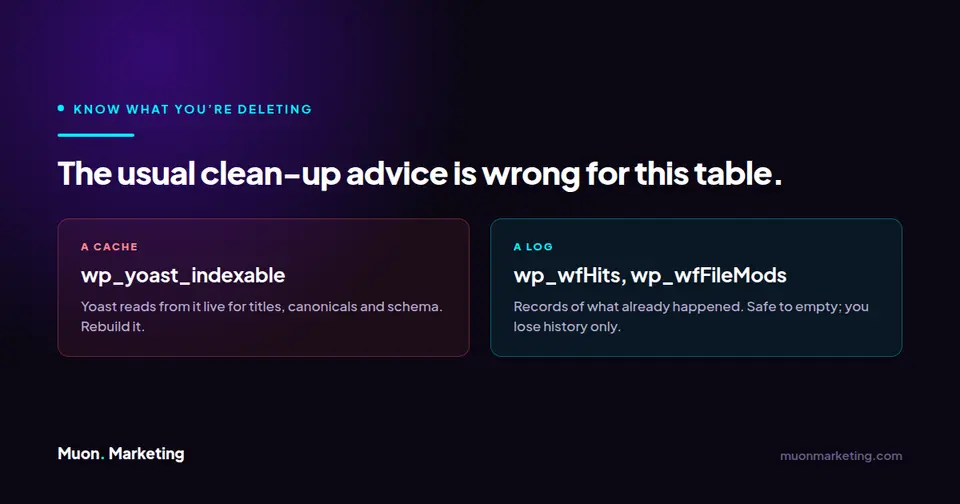
This is where wp_yoast_indexable differs from the Wordfence tables people usually clean up alongside it. Those are logs. This is a cache Yoast actively reads from to output your titles, meta descriptions, canonicals and schema.
Empty it with a raw SQL truncate and Yoast has nothing to read. It will rebuild lazily as pages get traffic, but in the meantime you can get inconsistent or missing SEO output on pages that have not been hit yet. On a site with real search traffic, that is a self inflicted wound. Use one of the two supported rebuild routes instead.
| Table | Plugin | What it actually is | Safe to truncate directly? |
|---|---|---|---|
wp_wfHits | Wordfence | Live Traffic request log | Yes. You lose traffic history, nothing else. |
wp_wfFileMods | Wordfence | File change log from scans | Yes. You lose the audit trail, nothing else. |
wp_yoast_indexable | Yoast SEO | Cache of live SEO metadata | No. Rebuild it instead, or your SEO output degrades until traffic refills it. |
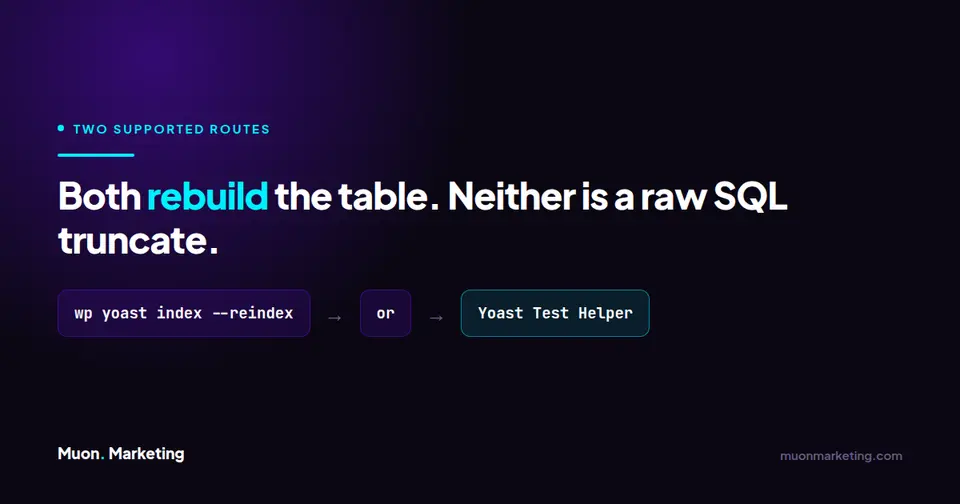
How to Rebuild Yoast Indexables Properly
Option 1: WP CLI (fastest, needs shell access)
If you have WP CLI, this is the cleanest route. The command requires Yoast SEO 14.0 or higher.
wp yoast index --reindexThe --reindex flag removes all existing indexables and then rebuilds them. There is also a --network flag to run the indexation across every site in a multisite network.
Run times vary enormously and depend more on your host than your post count. Yoast users have reported an 18,000 post site taking over three hours, while another reported 100,000 posts finishing in around five minutes. Start it in a session that will survive, and do not assume it will be quick.
Option 2: The Yoast Test Helper plugin (no shell needed)
- Install and activate the Yoast Test Helper plugin from the WordPress plugin repository.
- Go to Tools, then Yoast Test.
- Under the Yoast SEO section, choose Reset indexables tables and migrations.
- Go back to Yoast SEO, then Tools, and click Start data optimization.
Two conditions from Yoast own documentation are easy to trip over. Indexables will not work on a staging or non production site, so this will not behave as expected there. And if you or a developer added a filter that disables indexables, that filter has to come out before any reset will do anything.
| Method | What you need | How you run it |
|---|---|---|
| WP CLI | Shell access and Yoast SEO 14.0 or higher | wp yoast index --reindex, plus --network for multisite |
| Yoast Test Helper | Only the ability to install a plugin | Tools → Yoast Test → Reset indexables tables and migrations, then Yoast SEO → Tools → Start data optimization |
Do You Need to Rebuild at All?
Often not. Yoast notes that a site does not require immediate indexing, because the tables lazy load as pages receive visitor traffic. If nothing is visibly broken, leaving it alone is a legitimate choice.
Rebuild when you have a concrete reason: after a migration, after a bulk import or deletion, when breadcrumbs or canonicals are wrong, or when the table size is wildly out of proportion to your content. Reclaiming disk space on its own is a weak reason to touch a live cache.
Whichever route you take, back up the database first.
Not sure which table is your problem? Start with how to find the one table slowing your WordPress database, which covers all of them and the question to ask before deleting anything.
Related Database Tables
Yoast is rarely the only plugin with a large table. If you are working through a bloated database, the Wordfence tables are the usual companions. We have covered what wffilemods is and whether you can empty it and what the wp_wfHits table is and how to shrink it. Both of those genuinely are logs, and the advice there is different from the advice here for exactly that reason. Running WooCommerce? the wp_actionscheduler_actions table is usually larger than any of them. And if the site feels slow everywhere rather than in one feature, the wp_options autoload set is the next thing to audit, because those rows are read on every page request.
wp_yoast_indexable FAQs
What is the wp_yoast_indexable table?
It is the table Yoast SEO uses to store indexables, a precomputed cache of the SEO metadata for every post, page, term, author and archive on your site. Yoast introduced it in version 14.0 so it does not have to rebuild that data from wp_postmeta on every request.
Can I delete or truncate the wp_yoast_indexable table?
You can, but you should not do it with a raw SQL truncate on a live site. Unlike a log table, Yoast reads from this cache to output titles, meta descriptions, canonicals and schema. Use the WP CLI command wp yoast index –reindex or the Yoast Test Helper plugin so the table is rebuilt rather than just emptied.
How do I rebuild Yoast indexables?
With WP CLI, run wp yoast index –reindex, which removes existing indexables and rebuilds them. Without shell access, install the Yoast Test Helper plugin, go to Tools then Yoast Test, choose Reset indexables tables and migrations, then go to Yoast SEO then Tools and click Start data optimization.
Why is my wp_yoast_indexable table so big?
It stores one row per indexable object, which includes every post, page, attachment, category, tag, author and archive. Media heavy sites generate a lot of rows. Deletions, imports and repeated migrations can also leave behind entries that no longer point at live content.
How long does reindexing take?
It depends far more on your hosting than your post count. Yoast users have reported an 18,000 post site taking over three hours, and a 100,000 post site finishing in around five minutes. Plan for it to take a while rather than assuming it will be fast.
What is wp_yoast_indexable_hierarchy for?
It is the companion table that records how indexable objects relate to one another, which is what Yoast uses to build breadcrumb trails. It is rebuilt by the same reindex process.
If database maintenance keeps landing at the bottom of your list, that is usually a sign it should belong to someone else. a maintenance plan covers this kind of upkeep, and Muon Marketing manages WordPress sites end to end, including the parts nobody notices until the site slows down.