

You went looking for whatever is eating your disk quota and found wp_wfHoover sitting at two gigabytes. Or five. Or twelve, larger on plenty of sites than the rest of the database put together.
It is a Wordfence table, and unlike most tables that get large, this one is not meant to persist at all. Wordfence empties it after every scan, on purpose, and has done since 2013. So the useful question is not how to clear it. It is what stopped Wordfence clearing it itself.
What wfHoover actually holds
During a scan, Wordfence collects every URL it can find in your files, your posts and your comments, and checks them in bulk against its own domain blacklist and Google’s. Hoovering is exactly what the name suggests: it vacuums URLs up from across the whole site into one table so they can be checked together rather than file by file.
On a site with a large media library, a long archive, or a plugin that embeds a lot of outbound links, that is easily hundreds of thousands of rows. Wordfence’s own changelog records fixing scan timeouts on sites with, in their words, “tens of thousands of potential URLs in files, comments, and posts”.
Note the capitalisation. The table is wp_wfHoover, with a capital H. On most Linux MySQL installations table names are case-sensitive, so a query against wp_wfhoover returns “table doesn’t exist” while the real table sits there occupying twelve gigabytes. If you have been told the table is not on your site, check the case before you believe it.
Wordfence empties it on purpose
This is the part that changes what you should do about it. From the Wordfence changelog, version 4.0.2: “We now truncate the wfHoover table after scans to save disk space on servers with huge numbers of URLs in files.” The same fix appears again at 6.2.0.
The truncate is the last step of the scan. Everything before it writes rows.
| Scan stage | What happens to wfHoover | If the scan stops here |
|---|---|---|
| Scan begins | The table is opened as a working area | Nothing yet |
| URL collection | A row written for every URL found in files, posts and comments | Every row from the aborted run stays on disk |
| Blacklist check | Collected URLs checked in bulk against Wordfence’s list and Google’s | Same: rows written, nothing cleared |
| Scan completes | Wordfence truncates the table | This is the only stage that empties it |

So a large wfHoover is a symptom
Three things stop a scan before it reaches the truncate.
The scan time limit. Wordfence added a configurable limit in 6.2.4, described in the changelog as being there “to help reduce overall server load and identify configuration problems”. A scan that hits the ceiling is stopped, not finished.
PHP running out of memory or execution time during URL collection. This is the stage that holds the most in memory at once, so it is where a constrained host tends to give up.
The scheduled scan never starting. Wordfence schedules scans through WordPress’s own scheduler, so if WP-Cron has stopped firing the scan simply never runs, and a scan that never starts never completes, so the leftovers from the last attempt sit there indefinitely. This is worth ruling out first, because it is both the most common and the easiest to check.
What to do, in order
- Find out whether scans are finishing. Wordfence’s scan page shows the activity log for the last run. A scan that ends without reaching its final stage is your answer, and the log usually names the stage it died on.
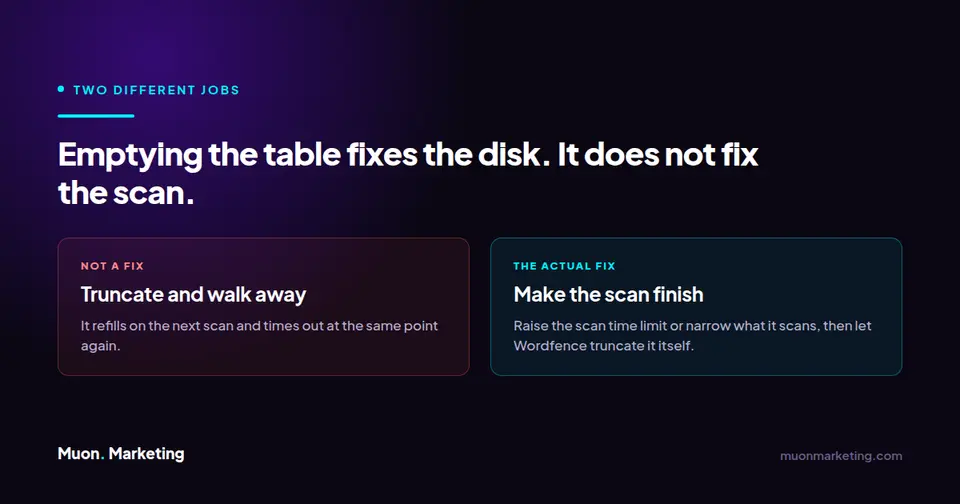
- If scans are timing out, raise the time limit or narrow what is being scanned. Excluding your uploads directory from file-content scanning is the single biggest reduction on most sites, because that is where the bulk of the URLs live.
- If scans are not running at all, fix the scheduler first. Emptying the table changes nothing if nothing is going to scan again.
- Then, and only then, truncate.
Truncating it safely
Because Wordfence treats this table as scratch space and clears it itself, emptying it between scans is safe in a way that emptying most tables is not. Nothing reads it once a scan has ended.
TRUNCATE TABLE wp_wfHoover;Take a backup first regardless, and do it while no scan is running. Truncating mid-scan will not corrupt anything, but it removes the working set the scan is about to check, and you will get a clean result that means nothing.
If you would rather not touch SQL at all, Wordfence documents a full remove or reset procedure that has the plugin rebuild its own tables.
Where this sits with the other tables
Wordfence’s other large table, wp_wfHits, behaves in the opposite way: it is a log, so it grows steadily by design and is trimmed on a retention setting rather than emptied. Knowing which of the two you are looking at decides whether growth is a problem or just Tuesday. The same distinction runs through the whole of WordPress database optimization: a log, a cache, a queue and a scratch table each want completely different treatment, and most cleanup advice treats them as one thing.
Noticing that a security scan quietly stopped completing four months ago is the sort of thing managed WordPress care exists to catch, because the site gives you no other signal that it happened.
Frequently asked questions
Is it safe to delete the wp_wfHoover table?
Truncating its contents is safe between scans, because Wordfence uses it as scratch space and clears it itself at the end of every completed scan. Dropping the table entirely is not a good idea; Wordfence expects it to exist and will either recreate it or fail its next scan. Empty it, do not drop it.
Why is wfHoover several gigabytes when my site is small?
Size here reflects the number of URLs found, not the number of pages you publish. A modest site with a large uploads directory, an imported archive or a plugin that embeds many outbound links can produce hundreds of thousands of rows in one pass. The size becomes a problem only because a failed scan never cleared them.
Will truncating wfHoover break Wordfence?
No. It removes the working set from the last scan, nothing more. Your settings, your scan history and your firewall rules live in other tables. The one thing to avoid is truncating while a scan is running, which gives you a scan result based on incomplete data.
My database says the table does not exist. Where is it?
Check the capitalisation. The table is wp_wfHoover with a capital H, and most Linux MySQL installations treat table names as case-sensitive. A query for wp_wfhoover will report that no such table exists even when it is sitting there taking up gigabytes.
If I empty it, will it just fill up again?
Yes, on the next scan, and it will stop at the same point for the same reason unless you fix what is stopping the scan. That is why truncating is the last step rather than the first. Once scans complete normally, Wordfence clears the table itself and it stops being something you think about.
Should I just remove Wordfence to fix this?
That trades a disk-space symptom for no security scanning at all, which is a bad exchange. The table is large because a scan is failing, and a failing scan is itself worth knowing about, because it means the site has not actually been checked for malware in however long the failure has been going on.