
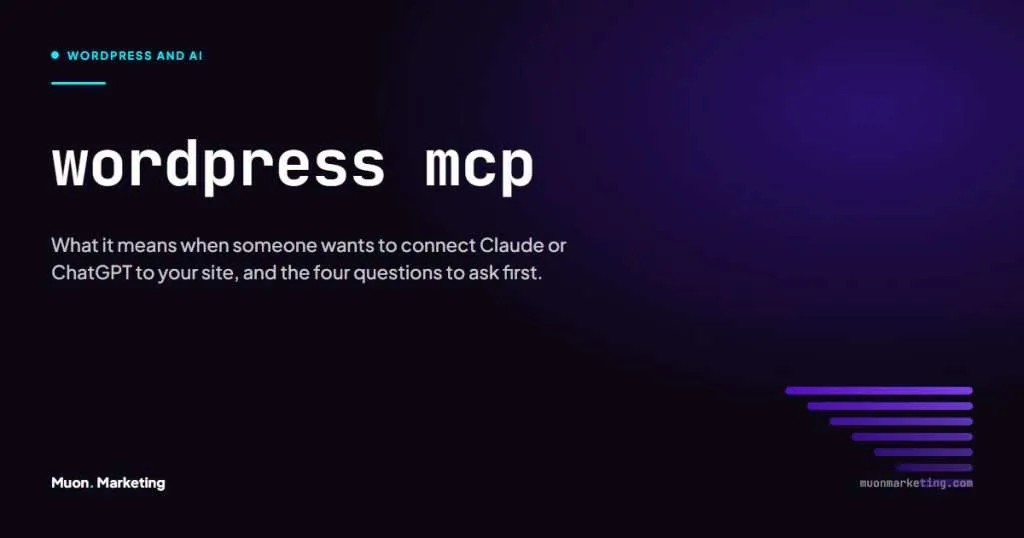
If a plugin update, a developer or an agency has mentioned MCP in the same breath as your WordPress site, here is the short version. MCP is a standard that lets an AI tool such as Claude or ChatGPT read from and act on your site, using the permissions of whichever WordPress user it connects as. It is not dangerous in itself. Whether it is safe on your site depends entirely on how it is set up, and that is the part worth five minutes.
What Is MCP in WordPress?
MCP stands for Model Context Protocol. The official MCP documentation describes it as an open-source standard for connecting AI applications to external systems, and compares it to a USB-C port: one plug that works with many devices. Before MCP, every AI tool needed its own custom integration for every system it touched. With it, an application like Claude or ChatGPT can connect to anything that speaks the protocol.
In WordPress the phrase covers three separate pieces, and people use the names loosely:
- The Abilities API. Part of WordPress core since version 6.9. It is the standard way for core and plugins to declare what they can do, each with a permission check attached.
- The MCP Adapter. The official WordPress plugin, announced in February 2026, that lets AI tools discover and call those abilities. You will also see it written as “WordPress MCP” or “MCP server”. An earlier Automattic plugin called wordpress-mcp did the same job and now points people to the adapter.
- The AI client. Claude Desktop, Claude Code, ChatGPT, Cursor or VS Code. This is the thing a person types into.
Page builders are joining in. Elementor’s Angie assistant is built on MCP, which is why the term has started appearing in plugin update notes rather than only in developer forums.
How the Connection Actually Works
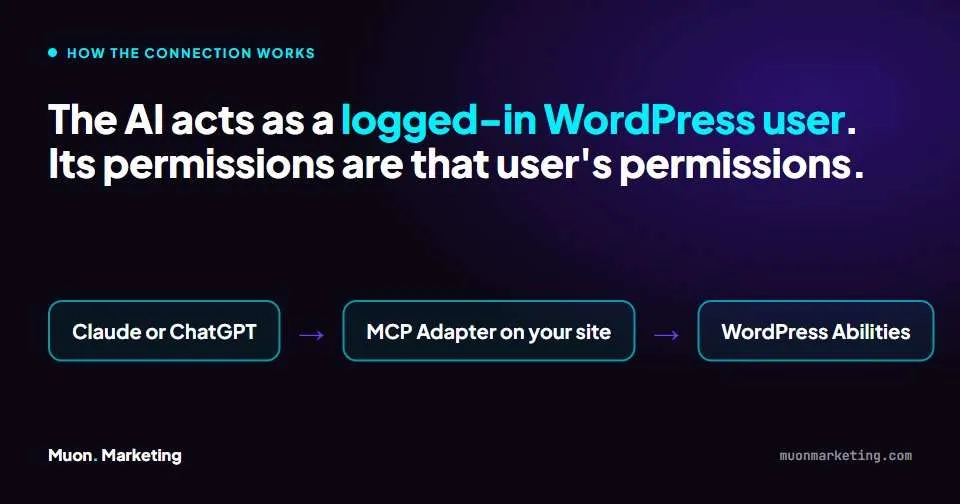
This is the mechanism that decides whether it is safe, so it is worth stating plainly. The AI client connects to your site over HTTP using a WordPress application password, the same kind of credential a mobile app or a backup service would use. From that moment the AI is, in WordPress terms, a logged-in user. It can do what that user can do and nothing more. Each ability carries a permission check, so an ability that edits a page asks “can this user edit pages?” before it runs.
The WordPress developer blog puts it in one line: because MCP clients act as logged-in WordPress users, treat them as part of your application surface area. Every question about safety follows from that sentence.
| Piece | What it does | Who controls it |
|---|---|---|
| Application password | Lets the AI client log in as one specific user | You, under that user’s profile. Revoke it and the connection dies |
| User role | Sets the ceiling on what the AI can touch | You. An Editor cannot install plugins. A Contributor cannot publish |
| Abilities | The individual actions plugins expose, each with a permission check | Plugin authors, then your role settings |
| AI client | Turns a typed request into ability calls | Whoever holds the client, which is why it matters who that is |
What an AI Can Do Through It
Out of the box, very little. Core registers three read-only abilities that return site, user and environment information. Everything else comes from plugins that choose to expose their functions. On a site running a page builder, an SEO plugin and a forms plugin, that can grow to a few hundred actions: build and restyle pages, write and edit posts, set titles and descriptions, read Search Console data, list form entries.
That range is the point and the risk. We use this in our own work. A page can be built, styled to the brand tokens, given its SEO settings and its schema, and checked in a browser, all from a conversation, with every change written to a log the client can read. The same connection, handed to the wrong person with the wrong role, could set a whole site to noindex in a sentence.
Should You Let an AI Connect to Your Site?
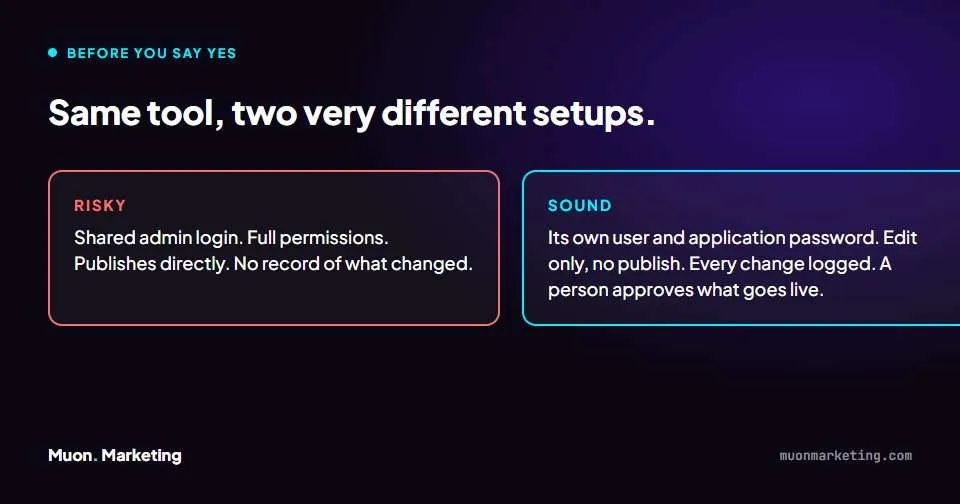
Yes, if the person setting it up can answer four questions well. No, if they cannot. This is the test to apply to an agency, a freelancer, a plugin or your own experiments.
| Question | Sound answer | Walk away |
|---|---|---|
| Which user does the AI log in as? | Its own user, created for the purpose, with its own application password | Your admin account, or a login shared with a person |
| What can that user do? | The least it needs. Edit drafts but not publish, or publish but not touch plugins and settings | Administrator, because it was easier |
| Where is the record of what it changed? | A written log or the site’s own revision history, reviewed by a person | “You can see it on the site” |
| Who approves what goes live? | A named person, before publishing, every time | The AI publishes directly |
Most of the damage an AI can do to a WordPress site is quiet rather than dramatic: a stray noindex tag, a deleted page that still had links pointing at it, thin copy pasted across twenty service pages. A draft-only role and a review step catch all three. Full admin access and no review catch none of them.
How We Use It at Muon
Our own tooling connects Claude to each client site through the site’s MCP connector, with a dedicated user and application password per site. Work lands as drafts, gets reviewed against the client’s brand rules, and is published by a person. Each session ends with an entry in a work log the client can read. That log is also how we hand over: a client who wants their own AI access can have it, on an edit-only user, with Muon as the reviewer before anything goes live.
None of that is a feature of MCP. It is a way of working that MCP makes possible, which is the honest version of the pitch.
Related Reading
If the reason you are reading this is that keeping the site running has become a chore, the WordPress maintenance plan post sets out what a sane monthly routine looks like, and the website maintenance checklist is the short version you can print. Why smart owners stop managing WordPress sites covers the decision underneath both. And if an agency already has access to your site and you are not sure what it is doing, how to tell if your SEO company is working gives you three checks you can run yourself.
WordPress MCP FAQs
Is WordPress MCP a plugin?
Partly. The Abilities API is part of WordPress core since 6.9. The MCP Adapter is an official WordPress plugin that exposes those abilities to AI tools. Some page builders and SEO plugins ship their own connectors built on the same standard.
Does MCP work with Elementor?
Yes. Elementor’s Angie assistant is built on MCP, and its connector exposes page-building actions to AI clients such as Claude. Whether a given action is allowed still depends on the WordPress user the client connects as.
Can ChatGPT connect to a WordPress site through MCP?
Yes. MCP is an open standard and ChatGPT, Claude, Cursor and VS Code all support it. The client is interchangeable. What matters is the user account and permissions on the WordPress side.
Is it safe to connect an AI to my WordPress site?
It is as safe as the user account you give it. An AI connected as an Administrator with a shared login can do anything an administrator can. One connected as its own edit-only user, with a person approving what goes live, cannot publish or delete anything on its own.
Do I need MCP on my site?
Not unless you or someone working on your site is using an AI tool to manage it. If nobody is, there is nothing to install. If an agency proposes it, ask the four questions in this article before saying yes.
What is the difference between MCP and an AI writing plugin?
An AI writing plugin generates text inside the WordPress editor. MCP lets an external AI tool act on the whole site: pages, settings, media, plugins, whatever abilities are exposed. The second is far more capable and needs far more care.
If you would rather have someone else hold the connection, review the changes and keep the log, that is what our managed WordPress care plan is for.