Most “experts” will tell you that you need 100,000 subscribers before you can talk to brands. That is a lie designed to keep you creating free content for platforms that don’t pay you enough.
At Muon, we don’t believe in “waiting for the algorithm.” We believe in building a Growth Engine.
If you have a small, highly engaged audience (even 1,000 subscribers), you are valuable. But only if you treat your channel like a business, not a hobby. You don’t need luck; you need a system.
Here is the strategic blueprint on how to get YouTube sponsorships for small channels, calculate your rates without getting ripped off, and lock in deals that actually pay the rent.
1. The Mindset Shift: You Are Not “Begging”
Stop asking for favors. You are selling attention.
Traditional agencies sell “brand awareness” that feels like vaporware. As a creator, you sell Trust. When you recommend a product, your audience listens because they know you. That “Proximity Signal” is worth more to a brand than a generic billboard.
The “Micro-Influencer” Advantage: Big channels have broad audiences. Small channels have specific audiences. If you run a channel about “HVAC Repair in Austin,” every single viewer is a high-intent lead for a tool company. That is your bargaining power.
2. The Media Kit: Your “Resume”
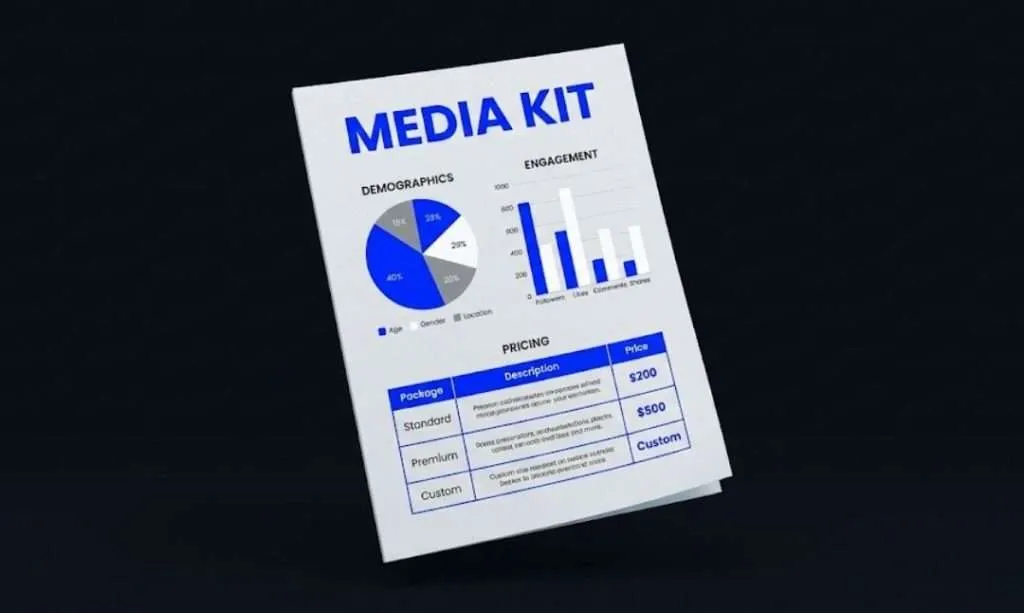
Brands do not have time to watch 20 hours of your content to figure out who you are. Stop sending long emotional emails. Send a Media Kit.
This is a one-page PDF that screams value. It must include:
- Demographics: Age, Gender, and Location of your viewers (Screenshot your YouTube Studio analytics).
- The “Win”: A case study where you sold something. Even if it was just an affiliate link for a $20 item, prove you can drive action.
- The Menu: Clear packages (e.g., “30s Integration,” “Dedicated Review,” “Community Post”).
The Muon Take: Data beats design. We don’t care if it looks pretty; we care if the numbers go up.
3. How to Get a Sponsorship on YouTube (The Outreach Engine)
Do not wait for a “collab manager” to slide into your DMs. You need to build an outbound engine. This mirrors our Pillar 01 (Local Visibility) strategy: be the obvious choice.
Step A: The “Soft Seeding” Strategy
Before you pitch, prove you can sell.
- Pick a product you already use.
- Mention it in a video naturally (don’t force it).
- Clip that segment.
- Send that clip to the brand’s marketing manager.
The Script:
“Hey [Name], I just featured your product in my latest video because I genuinely use it. It’s performing well with my audience (stats attached). I’d love to discuss a formal partnership for the next series.”
Step B: The “Sponsorship Platforms” Trap
You will see search terms like “best youtube sponsorship sites” or “youtube sponsorship websites.” Sites like FameBit (now YouTube BrandConnect) or AspireIQ exist, but they are often a race to the bottom for generic fees.
The Muon Way: Go direct. Find the marketing director on LinkedIn. Pitch the decision-maker, not the algorithm.
4. The “Gifted Product” Trap
This is the biggest pitfall for new creators. A brand offers to send you a “free” product ($50 value) in exchange for a dedicated review ($500 value).
Do not work for headphones.
- The Rule: If they require Deliverables (a specific video, a specific date, talking points), they must Pay.
- The Exception: If they send a gift with no strings attached (“Here’s a camera, hope you like it”), you can accept it. But you owe them nothing.
You cannot pay your rent with free samples. Pivot the conversation: “I appreciate the offer. My rate for a dedicated review is $X, which includes the product cost.”
5. The Math: YouTube Sponsorship Rates
This is where small creators get screwed. You ask for $50, and they laugh all the way to the bank. You need to know your numbers.
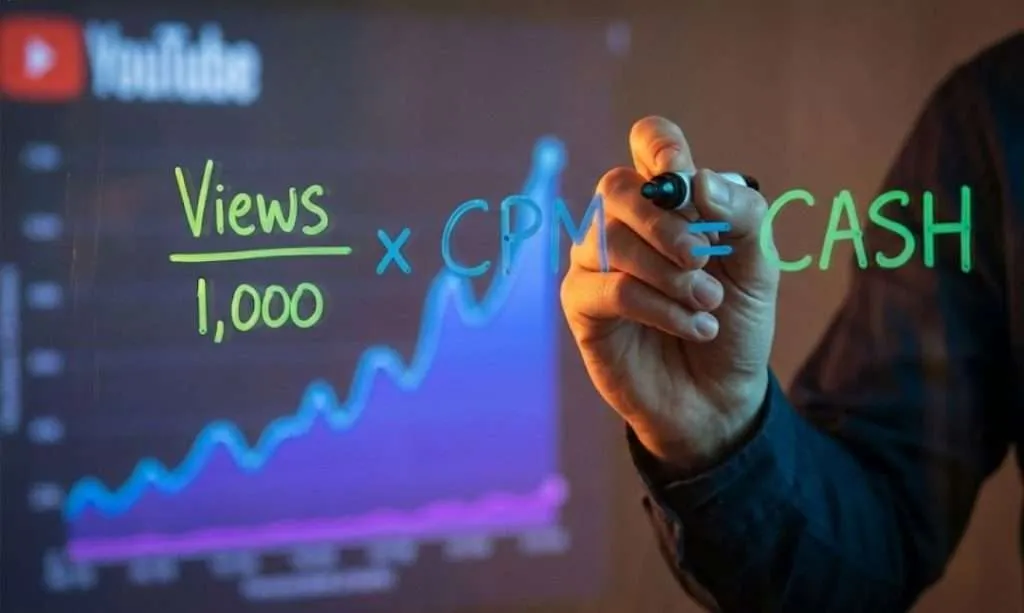
The Formula: CPM (Cost Per Mille)
Sponsorships are usually based on CPM, the cost per 1,000 views. Influencer Marketing Hub’s rate guide says YouTube sponsorship CPMs often fall between $15 and $30, depending on niche, audience location and demand.
How to Calculate Your Rate: Take your Average Views (on your last 10 videos, remove the viral outlier and the flop), divide by 1,000, and multiply by your CPM.
Example: You get 5,000 views per video and use a $20 CPM. 5,000 / 1,000 = 5. 5 × $20 = $100 per integration, before any creation fee.
The “Small Channel” Multiplier: If you are small, do not sell on views alone. Sell on Production Value and Usage Rights. Charge a “Creation Fee” on top of the view fee. You are saving them the cost of hiring a production studio.
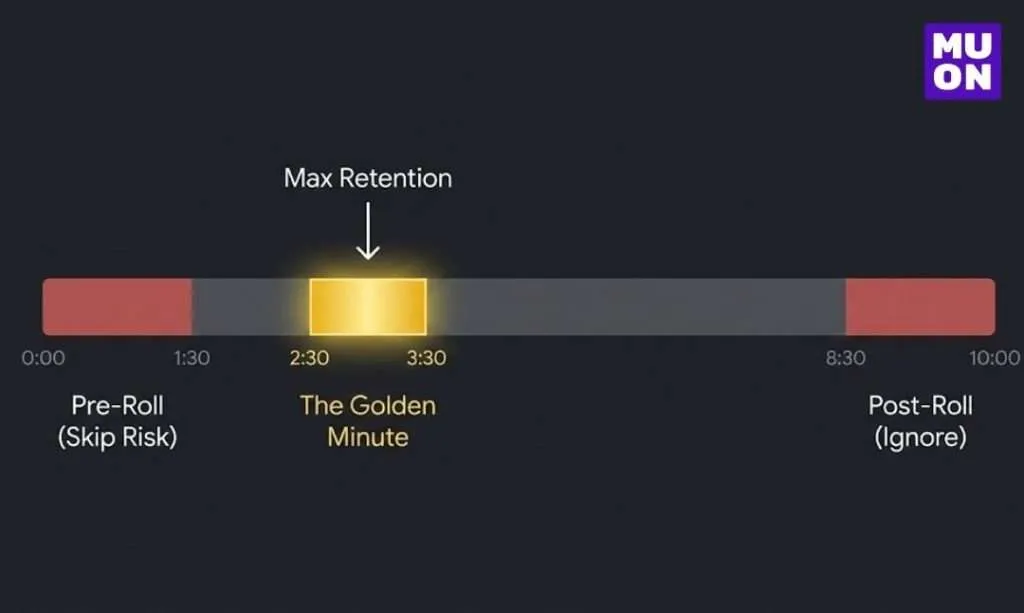
6. Ad Placement Strategy (The “Golden Minute”)
Most rookies put the ad at the very start (Pre-roll) or the very end (Post-roll). Both kill your revenue.
- Pre-Rolls: Viewers click away before the video starts. Retention crashes.
- Post-Rolls: Viewers leave as soon as you say “Thanks for watching.”
The Muon Fix: “Mid-Roll Magic” Place your sponsorship immediately after the “Hook” is resolved, but before the “Value” is fully delivered.
- Bad: 0:00 “This video is sponsored by…”
- Good: 2:30 “So now that we’ve diagnosed the problem, we need a tool to fix it. That’s where [Sponsor] comes in…”
7. The “Anti-Skip” Strategy (Beating SponsorBlock)
Plenty of viewers use tools like SponsorBlock to skip ad reads automatically. If you just read a script in a monotone voice, you get skipped.
The Solution: Native Integrations Weave the product into the story so it feels like content, not a commercial.
- Don’t use a jarring “ADVERTISEMENT” transition screen.
- Don’t change your voice to “Salesman Mode.”
- Do use the product to solve the specific problem you are discussing in the video.
If the ad provides value, the audience won’t skip it.
8. Brand Safety (How Not to Get Fired)
Getting the deal is hard; keeping it is harder. Small channels often lose sponsors because they go off-script or create controversy without warning the brand.
The Protocol:
- No Surprises: Never associate the product with controversial topics unless pre-approved.
- The “Clean” Minute: Even if your channel is edgy, the 60 seconds around the ad read must be “Brand Safe.” No cursing, no violence, no politics while holding the product.
- Approval: Always send the brand a private link to the video before you publish. This builds massive trust.
9. Red Flags: Don’t Sign Without Reading
Brands love to sneak “gotchas” into contracts for new creators.
- Perpetual Usage Rights: Never let a brand own your likeness “in perpetuity” (forever). License it for 6 or 12 months. If they want it forever, they pay double.
- Exclusivity: If they pay you $200, they cannot demand you never mention a competitor for a year. Exclusivity costs extra.
- Affiliate-Only Deals: If they say “we only pay on commission,” that is not a sponsorship. That is an affiliate program. Know the difference.
10. The Legal Shield (Don’t Get Sued)
Don’t build a business on a foundation of sand. Compliance isn’t optional; it’s insurance. If you take money or free product, you are legally required to disclose it.
- The Checkbox: You must check the “My video contains paid promotion” box in YouTube Studio. See Google’s official policy for details.
- The Verbal: You must say “This video is sponsored by…” or “Thanks to [Brand] for sending this…” within the first 30 seconds.
- The FTC: Hiding your sponsorship is not “clever”; it’s illegal. The FTC Endorsement Guides clearly state you can be fined for non-disclosure. Be proud of your sponsors, don’t hide them.
YouTube Sponsorship FAQs
How do small YouTube channels get sponsorships?
Pitch brands directly instead of waiting to be found. Mention a product you already use in a video, clip that segment, and send it to the brand’s marketing manager with your audience stats and a one-page media kit. Going straight to the decision-maker avoids the low flat fees common on sponsorship platforms.
How many subscribers do you need to get sponsored on YouTube?
There is no fixed number. Brands pay for an audience that matches their customers, so a small channel with a specific, engaged audience can land deals well before 100,000 subscribers. Show proof that you can drive action, such as clicks on an affiliate link.
How much should a small YouTube channel charge for a sponsorship?
Start from views: take your average views on recent videos (leave out the viral outlier and the flop), divide by 1,000 and multiply by a CPM. Influencer Marketing Hub puts most YouTube sponsorship CPMs between $15 and $30. Add a creation fee for the production work, and charge extra for usage rights or exclusivity.
Should I accept free products instead of payment?
Only if there are no strings attached. If the brand wants a specific video, a date or talking points, that is work and it should be paid. A gifted product with no requirements is fine to accept, and you owe nothing for it.
Do I have to disclose YouTube sponsorships?
Yes. If you take money or free product for a video, disclose it. Tick the paid promotion box in YouTube Studio and say it out loud in the video.
11. The Muon Opportunity: Two Ways to Work With Us
We practice what we preach. Muon Marketing works with creators who speak to business owners, entrepreneurs, and local service providers. There are two clear ways to work with us.
Path A: Creator Partner (Website and Tech, $149 a Month)
Tired of wrestling with WordPress? We build and look after the website, email list and tech behind your channel so you can focus on filming. Something new gets built every month, a page or a process, whatever you need most.
- Unlimited small edits: text, images, links and fixes whenever you need them.
- Technical care: technical SEO, plugin updates and a monthly report.
- Month to month: no contract, and the website build is free when you host on SiteGround.
See what Creator Partner includes
Path B: Affiliate Program (Recurring Revenue)
Stop chasing one-off payments. Refer local businesses to Muon’s services and get paid for as long as they stay.
- 10% recurring commission: paid on what the client pays, month after month.
- 90-day referral window: if they sign up within 90 days of clicking your link, you get credit.
Ready to Turn Pro?
Stop guessing your rates and hoping for an email. Pick the path that fits and we will take it from there.