
Most answers to this question are a list of fifteen things, presented as if they are equally likely. They are not. In practice a slow WordPress site is nearly always one of five things, and they are not equally common.
Here they are in the order we actually find them, with how to tell which is yours.
The Five Causes, In Order of How Often They Are the Answer
| # | Cause | Tell-tale sign |
|---|---|---|
| 1 | Hosting | Slow even on a near-empty page, and slow consistently rather than at peak times |
| 2 | No caching, or caching misconfigured | First visit slow, second visit fast, or logged-out speed no better than logged-in |
| 3 | Images | One page is far slower than the rest, and it is the one with the gallery |
| 4 | Plugin bloat or a single bad plugin | Slowness arrived suddenly, around the time something was installed |
| 5 | Database growth | Gradual, no obvious trigger, and the admin area feels slow too |
Diagnose It in Five Minutes
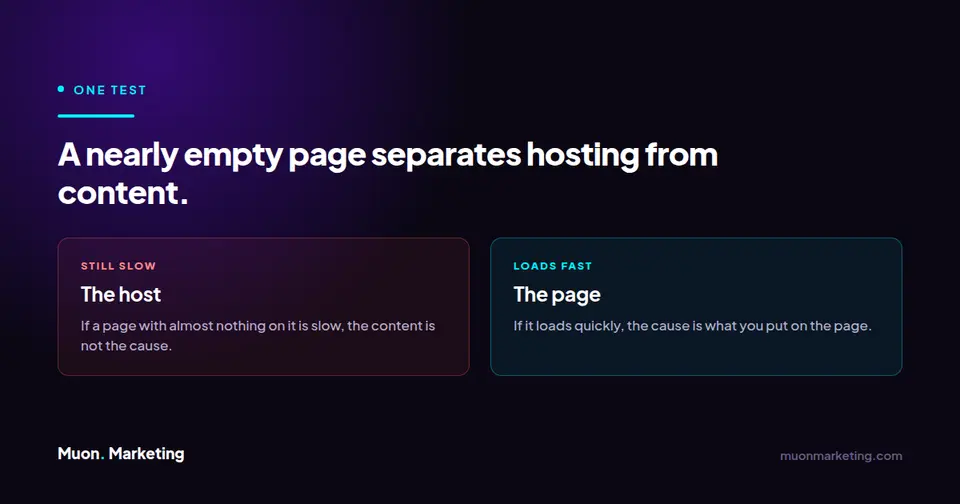
- Test a nearly empty page, such as your privacy policy. If that is slow, the problem is hosting, not your content or your images.
- Load a page twice. If the first load is slow and the second is quick, caching is working but the origin is slow. If both are slow, caching is not doing its job.
- Compare a media-heavy page against a text page. A large gap points at images.
- Check whether wp-admin is slow too. The admin area is not cached, so if it drags while the public site is fine, look at the database.
- Ask when it started. Sudden means something was installed or changed. Gradual means growth, which means the database or the media library.
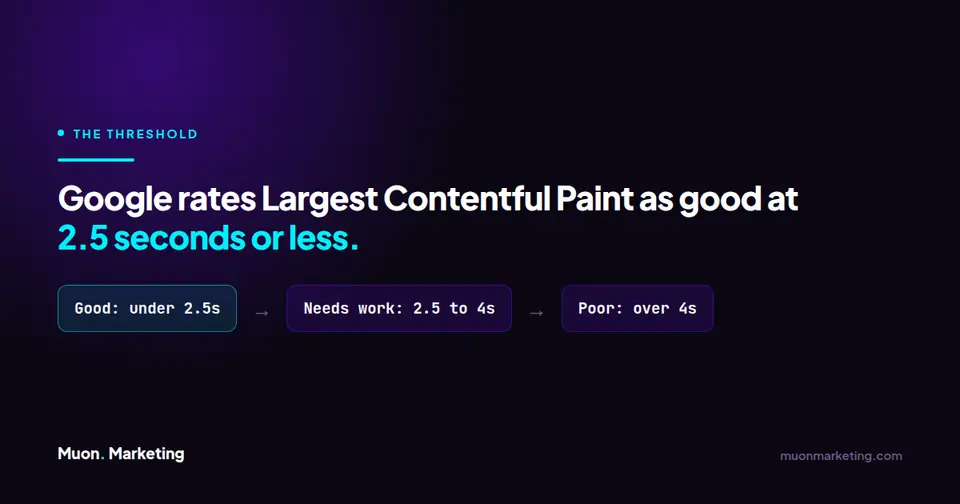
Measure against something real rather than a feeling. Google publishes Core Web Vitals thresholds: Largest Contentful Paint should be 2.5 seconds or less, Interaction to Next Paint 200 milliseconds or less, and Cumulative Layout Shift 0.1 or less. Those are the numbers that matter, and they are measured on real visitors rather than a lab test.
Cause One: Hosting, and Why People Skip It
Hosting is first on the list and last on most people’s minds, because changing it feels like a project. But if a page with almost nothing on it is slow, no amount of image compression will save you. You are waiting on the server.
The cheap end of the market is cheap for a structural reason: shared plans oversell capacity, so your site competes with hundreds of others for the same resources. That is why performance is inconsistent rather than uniformly bad. We wrote up our own reasoning and what we host on over on why we only host on SiteGround, and the rest of our stack, affiliate links disclosed, is on the tools page.
Causes Two Through Four: The Quick Wins
| Cause | What to do | What not to do |
|---|---|---|
| Caching | Use one caching plugin, configured once, and test logged out. Server-level caching from your host is better again | Do not stack three caching plugins. They conflict and you get the worst of each |
| Images | Serve modern formats, size them to how they display, and lazy load below the fold | Do not upload a 4000px photo and let the browser scale it down |
| Plugins | Deactivate suspects one at a time and re-measure. Delete what you are not using | Do not judge by plugin count. One badly written plugin beats twenty good ones for damage |
Cause Five: The One That Hides
Database growth is the cause people rule out, because nothing changed and nothing broke. The site simply got slower over months.
It is almost never the database as a whole. It is one table that grew without limit: a security log nobody trimmed, a scheduled task queue that stopped clearing, a session table whose cleanup event went missing. The admin area is the giveaway, because wp-admin is not cached, so database drag shows up there first.
If steps one through four came back clean, that is where to look next: how to find the one table slowing your WordPress database walks through identifying it and, importantly, what is safe to delete once you have.
Fixing It Once Versus Keeping It Fixed
Every cause on this list except hosting comes back. Images accumulate, plugins get added, tables grow. Speed is not a project you finish, it is a number that drifts unless somebody watches it.
That is the argument for a schedule rather than a rescue. Monthly page speed checks and a quarterly database review catch all five of these long before a customer notices. Both are on our website maintenance checklist, and if you would rather not run it yourself, what a maintenance plan covers sets out the alternative.
Slow WordPress Site FAQs
Why is my WordPress site so slow?
Usually one of five things: hosting, missing or misconfigured caching, oversized images, a badly behaved plugin, or database growth. Test a nearly empty page first. If that is slow, it is hosting, and no amount of image or plugin work will fix it.
How fast should a WordPress site be?
Google publishes Core Web Vitals thresholds: Largest Contentful Paint of 2.5 seconds or less, Interaction to Next Paint of 200 milliseconds or less, and Cumulative Layout Shift of 0.1 or less. These are measured on real visits rather than a single lab test, so they reflect what people actually experience.
Does having too many plugins slow down WordPress?
Plugin count matters far less than plugin quality. One poorly written plugin that queries the database on every page load causes more damage than twenty well built ones. Deactivate suspects one at a time and re-measure rather than deleting on count alone.
Why is my WordPress admin slow but the site fast?
The admin area is not cached, so it exposes anything caching is hiding on the public side. That usually points at the database or at a plugin doing heavy work on admin pages. It is the clearest single signal that database growth is your problem.
Will a caching plugin fix a slow site?
It will fix repeat visits and hide a slow origin, which is worth having. It will not fix a slow server, a slow admin area, or the first visit for a new user. Use one caching plugin rather than several, since stacking them causes conflicts.
My site got slow gradually with no changes. What is it?
Gradual slowness with no trigger almost always means growth rather than a change: the media library, or more often a single database table expanding without limit. Check whether wp-admin is also slow, then look at your largest database tables.
If you have worked through the five and still cannot tell which one it is, that is a reasonable place to ask for help. Tell us about your site and we will find it.